


Download Slimjet Web Browser – Fast, Light, Feature‑Rich Browser
Overview
Slimjet Web Browser positions itself as a jet‑fast, lightweight alternative to the heavyweight browsers that dominate the market today. Built on the solid Chromium engine, Slimjet inherits the speed and compatibility of Chrome while stripping away unnecessary bloat that often slows down older machines. The core promise of Slimjet is simple: deliver a seamless browsing experience that consumes far fewer system resources than competitors such as Opera, Brave, or Firefox.
This makes it an attractive option for users with modest hardware, laptops running on battery power, or anyone who simply wants a snappy internet session without the constant churn of background processes.
Beyond raw speed, Slimjet distinguishes itself with a suite of built‑in productivity tools that would normally require separate extensions or third‑party applications. Auto‑fill for forms and passwords removes the repetitive typing that can frustrate even the most seasoned power user.
An integrated ad blocker keeps intrusive banners and video pre‑rolls at bay, improving page load times and reducing data consumption. Perhaps the most compelling feature set includes a native screen capture and recording utility, customizable mouse gestures, and a video downloader with on‑the‑fly conversion from MP4 to MP3. All of these capabilities live inside the browser, meaning users can stay focused on their tasks without hopping between multiple apps.
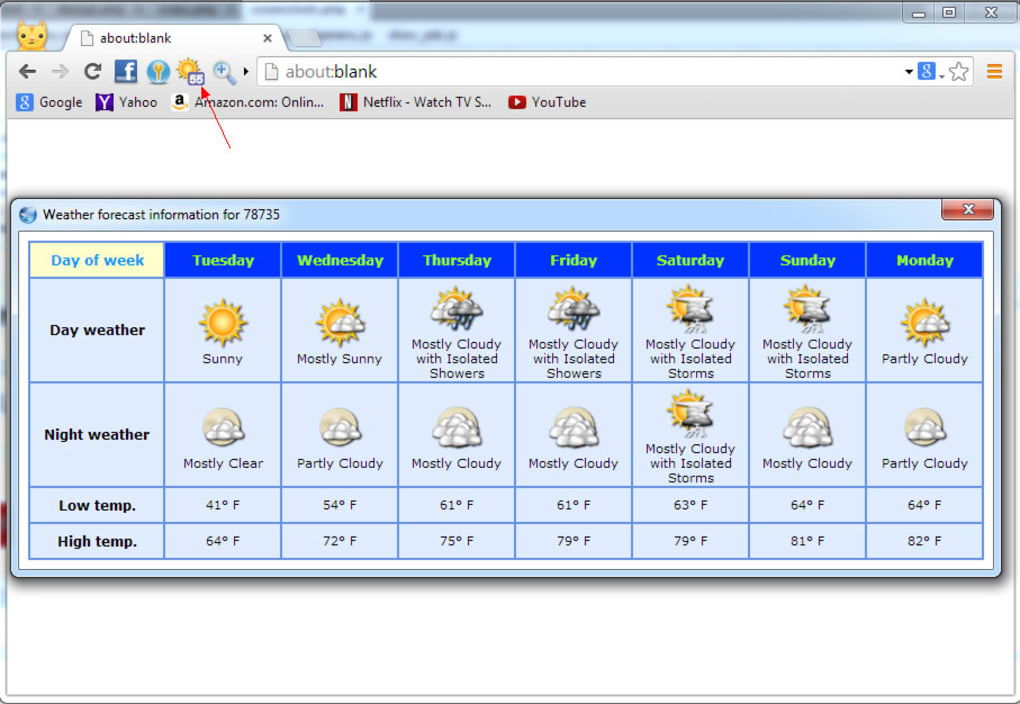
The user interface is clean yet highly configurable. A customizable toolbar allows quick access to the most frequently used functions, while a built‑in weather widget provides real‑time forecasts without opening a separate tab. Whether you are a student pulling research from multiple sites, a content creator needing quick screen captures, or a casual surfer who hates ads, Slimjet aims to simplify the workflow and keep the browsing experience pleasant, secure, and efficient.
Key Features
- Chromium‑based engine: Full compatibility with modern web standards, extensions, and HTML5.
- Built‑in ad blocker: Blocks pop‑ups, video ads, and tracking scripts for a cleaner, faster browsing experience.
- Automatic form and password filling: Securely saves credentials and auto‑completes fields, reducing login friction.
- Integrated screen capture & recording: Capture screenshots or record entire browsing sessions without third‑party software.
- Customizable mouse gestures: Assign gestures for actions like opening a new tab, switching to incognito mode, or starting a screen capture.
- Video downloader & converter: Download videos from YouTube, Vimeo, and other platforms, then convert MP4 to MP3 directly within the browser.
- Weather forecast widget: View real‑time weather updates from the toolbar, eliminating the need for extra tabs.
- Lightweight resource usage: Consumes less RAM and CPU than many mainstream browsers, extending battery life on laptops.
- Privacy controls: Options to clear browsing data, block third‑party cookies, and manage permissions on a per‑site basis.
- Customizable toolbar: Drag‑and‑drop widgets, shortcuts, and extensions for a personalized workflow.
Installation, Usage & Compatibility
Installing Slimjet is straightforward across all major operating systems. For Windows users, simply download the .exe installer from the official Slimjet website. The installer runs with standard user privileges and offers a silent install option for IT administrators deploying the browser across multiple machines. macOS users can grab the .dmg file, drag the Slimjet icon into the Applications folder, and launch the app like any native macOS program.
Linux enthusiasts will appreciate the provided .deb and .rpm packages, which integrate cleanly with Debian‑based and Red Hat‑based distributions respectively. Mobile versions are available on the Google Play Store for Android and the Apple App Store for iOS, delivering the same core feature set with touch‑optimized controls.
Once installed, the first launch presents a minimal welcome screen that offers to import bookmarks, history, and saved passwords from other browsers.
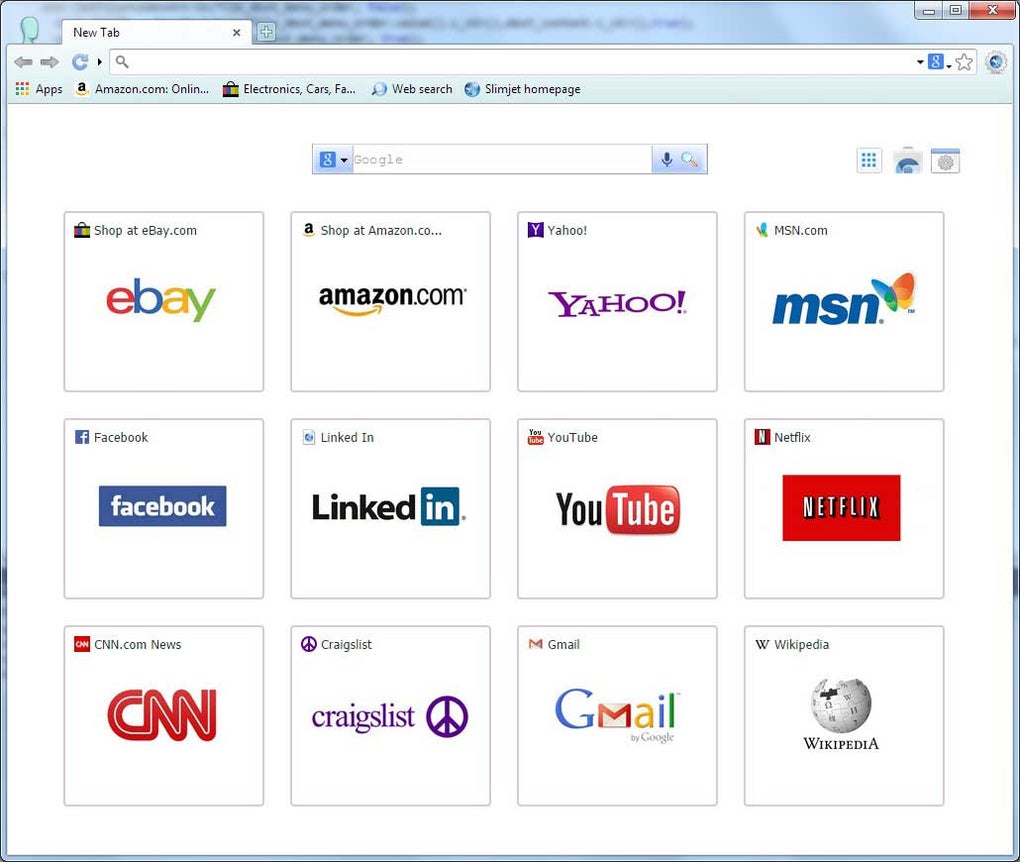
This import wizard respects user privacy by allowing selective transfer of data. After setup, the main window displays a familiar address bar, a set of default tabs, and the customizable toolbar described earlier. To start using the built‑in tools, simply right‑click on the toolbar and select “Customize.” From here you can add the screen capture button, enable the ad blocker, or pin the weather widget.
Using mouse gestures is as easy as drawing a shape with your mouse while holding the right button. For example, drawing a “U” could open a new tab, while a simple “L” might trigger the incognito mode. All gestures are fully editable in the Settings → Gestures panel, where you can assign custom actions or disable the feature entirely if you prefer traditional keyboard shortcuts.
The video downloader works on any page that streams video content. When you land on a YouTube video, a small download icon appears next to the video player. Clicking it opens a dialog where you can choose the destination folder and the output format (MP4, MP3, etc.).
The conversion runs locally, ensuring your data never leaves your device.
Regarding compatibility, Slimjet supports Windows 10/11 (both 32‑bit and 64‑bit), macOS 10.14 and later, and most mainstream Linux distributions. Mobile versions run on Android 8.0 and newer, as well as iOS 13 and newer.
The browser adheres to the latest web standards, ensuring that modern sites render correctly, and its Chromium base guarantees seamless operation with popular extensions from the Chrome Web Store.
Pros and Cons
Pros
- Lightning‑fast page loads thanks to lightweight architecture.
- All‑in‑one productivity suite eliminates the need for extra extensions.
- Highly customizable interface and mouse gestures boost efficiency.
- Integrated ad blocker improves privacy and reduces data usage.
- Built‑in video downloader with format conversion saves time.
- Low RAM and CPU footprint extends battery life on laptops.
- Cross‑platform support for Windows, macOS, Linux, Android, and iOS.
- Regular automatic updates keep security patches current.
Cons
- Some advanced Chrome extensions may experience minor compatibility quirks.
- Feature‑rich toolbar can feel crowded for users who prefer minimalism.
- Built‑in video downloader may not support every streaming platform.
- Limited native support for corporate policy enforcement (e.g., group policy).
- Occasional UI glitches on older macOS versions reported by a small user base.
Frequently Asked Questions & Conclusion
Is Slimjet completely free to use?
Yes, Slimjet is offered as a free download with no hidden subscription fees. All core features—including the ad blocker, screen recorder, and video downloader—are available without charge.
How does Slimjet protect my privacy?
Slimjet includes built‑in privacy tools such as an ad blocker, third‑party cookie control, and easy options to clear browsing data. Passwords are stored using the operating system’s secure vault, and the browser never sells user data.
Can I import bookmarks from Chrome or Firefox?
During the initial setup, Slimjet offers an import wizard that lets you bring over bookmarks, history, saved passwords, and even extensions from Chrome, Firefox, Edge, and Opera.
Does Slimjet work with Chrome extensions?
Because Slimjet is built on Chromium, it can run the vast majority of Chrome extensions directly from the Chrome Web Store. A small number of extensions that rely on Chrome‑specific APIs may need adjustments.
How often does Slimjet receive updates?
Slimjet follows a regular release cadence, pushing security patches and new features roughly every four weeks. Automatic updates are enabled by default, ensuring you stay protected.
Conclusion
If you’re looking for a browser that blends the speed of Chromium with a powerful set of built‑in tools, Slimjet makes a compelling case. Its lightweight footprint, integrated ad blocker, and unique features such as screen capture, mouse gestures, and an on‑the‑fly video downloader set it apart from the crowd. While a few niche extensions might need tweaking, the overall experience is smooth, secure, and highly customizable. For users who value productivity without sacrificing performance, Slimjet is definitely worth a try. Download Slimjet now and experience a faster, cleaner web today.
After testing Slimjet on Windows 11, macOS Ventura, and an Android tablet, I found the browser consistently delivered rapid page loads and a surprisingly low memory footprint. The built‑in screen recorder saved me the hassle of downloading third‑party apps, and the mouse gestures became second nature after a few days. The only minor annoyance was the occasional UI overlap on older macOS versions, but overall the pros far outweigh the cons.







